← All templates
🕯️ Sepia Study
Warm browns and old-book cream. For long sessions that shouldn’t feel clinical.
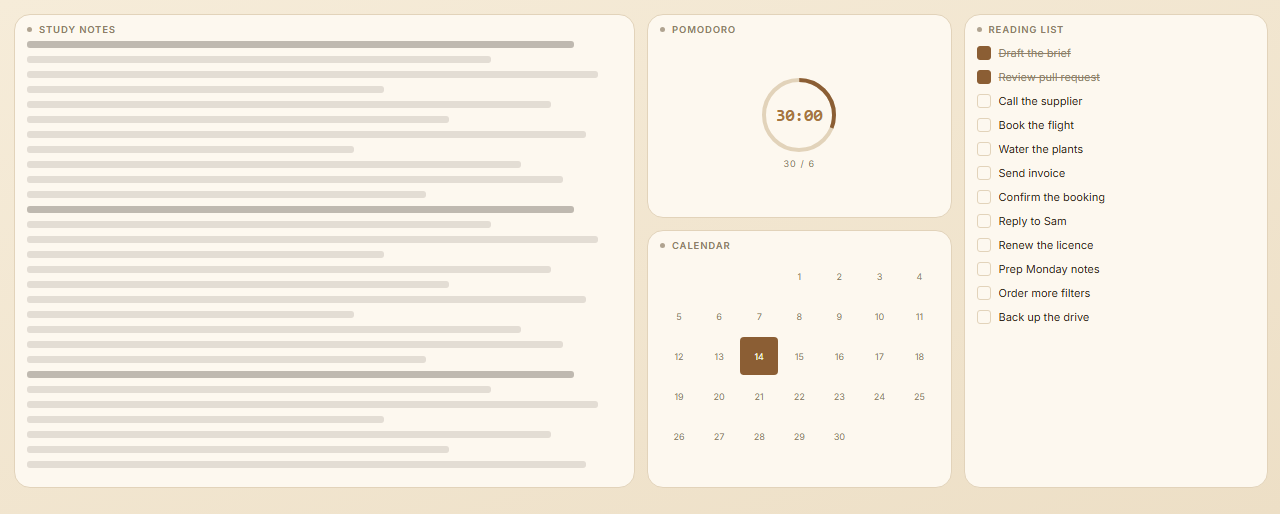
What's on this board
NotesFocus timerTo-do listCalendar
Palette
Light board · the template carries its own colours, so it looks like this on anyone's dashboard.
How to use it
- Install LinkCrusher and open a new tab.
- Go to Settings → Templates.
- Pick Sepia Study and hit Add board.
The gallery inside the extension adds this as a new board and leaves your existing boards untouched — that's the way to use it. The .json download is for inspecting the board or keeping a copy; importing it under Settings → Data replaces your whole dashboard.